
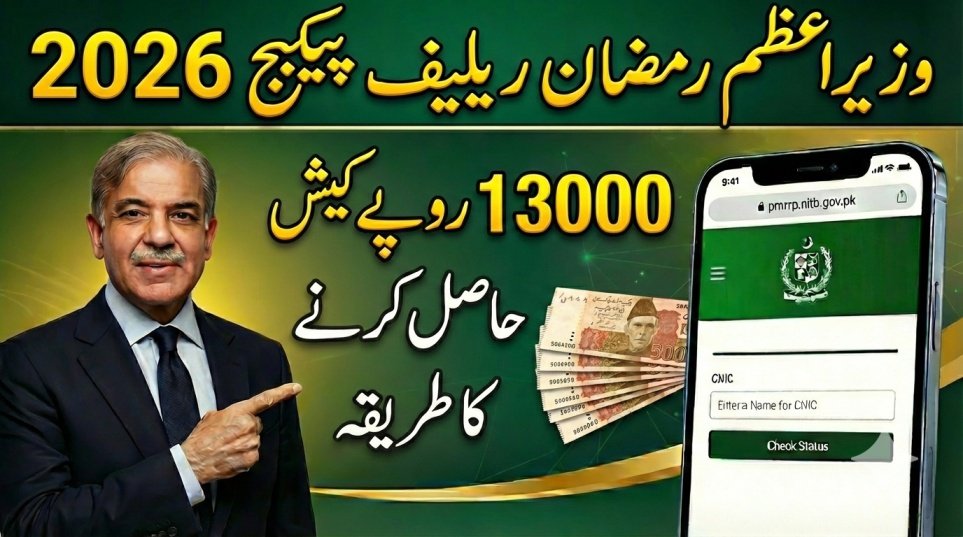
The Government of Pakistan has launched the Prime Minister’s Ramzan Relief Package 2026 to support low-income families during Ramzan 2026. Under this program, eligible households receive Rs. 13,000 in direct cash assistance to help manage grocery expenses and daily household needs. With inflation increasing the prices of flour, sugar, oil, and other essentials, this relief amount provides timely financial support.
The payment system is fully digital and managed by the National Information Technology Board (NITB). Beneficiaries must first verify their eligibility on the official portal pmrrp.nitb.gov.pk before using any withdrawal method. Understanding the correct payment withdrawal process ensures that you receive your full Rs. 13,000 safely and without delay.
| Information Type | Important Details |
|---|---|
| Program Name | PM Ramzan Relief Package 2026 |
| Relief Amount | Rs. 13,000 per eligible family |
| Official Portal | pmrrp.nitb.gov.pk |
| Verification Method | 13-Digit CNIC |
| Official SMS Code | 9999 |
| Withdrawal Options | Bank ATMs & Registered Agents |
| Biometric Requirement | Thumbprint Verification |
| Managing Authority | NITB |
Eligibility Verification Before Withdrawal
Before collecting your payment, you must confirm that your cash has been approved. The eligibility check process is simple and free.
• Open your internet browser on mobile or computer
• Visit pmrrp.nitb.gov.pk
• Enter your 13-digit CNIC number without dashes
• Complete the captcha verification
• Click “Submit” to view your status
If eligible, you will also receive a confirmation SMS from 9999 informing you that your payment is ready.

ATM Payment Withdrawal Method
The easiest way to collect your Rs. 13,000 is through a partner bank ATM with biometric verification. You do not need an ATM card or bank account.
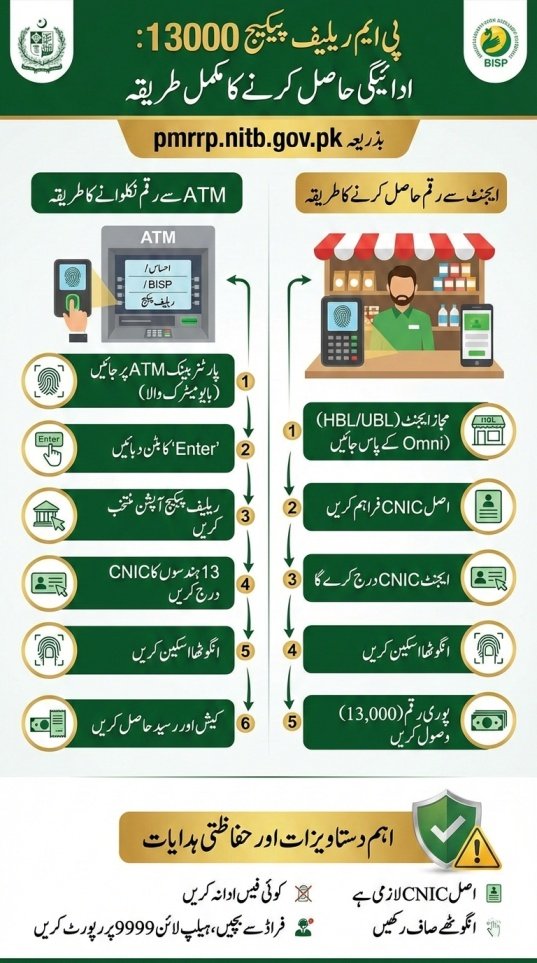
• Visit a partner bank ATM such as Habib Bank Limited (HBL) or Bank Alfalah
• Select the “Ehsaas / BISP / Relief Package” option
• Enter your 13-digit CNIC number
• Place your thumb on the biometric scanner
• Collect your cash and printed receipt.
Make sure your thumb is clean and dry for successful biometric verification.

Agent-Based Withdrawal Method
If you are unfamiliar with ATM machines, you can visit authorized banking agents in your area. This method is equally secure and quick.
• Go to a registered HBL Konnect or authorized relief agent
• Provide your original CNIC to the agent
• The agent will enter your CNIC into their device
• Complete biometric thumb verification
• Receive your full Rs. 13,000 and count the money before leaving
Never pay any extra fee to agents, as the service is completely free.

Required Documents for Withdrawal
To successfully complete the payment process, keep the following items ready:
• Original valid CNIC issued by National Database and Registration Authority (NADRA)
• Mobile phone with registered SIM
• Confirmation SMS (if received)
• Clean and readable thumbprint for biometric scan
Without the original CNIC, the system will reject your transaction.
Important Safety Guidelines
Many scammers try to take advantage of relief programs. Follow these safety rules:
• Use only the official portal pmrrp.nitb.gov.pk
• Do not share your CNIC number with strangers
• Never pay any fee for receiving Rs. 13,000
• Immediately report agents who deduct money
• Call official helpline 9999 or 8171 for complaints
Staying alert will protect you from fraud.
Conclusion
The payment withdrawal method for PM Relief Package 13000 via pmrrp.nitb.gov.pk is simple, secure, and transparent. First verify your eligibility online, then visit a partner ATM or authorized agent with your original CNIC. Complete biometric verification and collect your full Rs. 13,000 without paying any charges. By following official instructions and safety guidelines, you can receive your relief funds smoothly and securely.
FAQs
Q1: Is an ATM card required for withdrawal?
No, you only need your CNIC number and biometric thumb verification.
Q2: What if the ATM does not recognize my fingerprint?
Visit your nearest NADRA office to update your biometric record, then try again.
Q3: Can any bank ATM be used?
Only partner bank ATMs with biometric cardless withdrawal systems are supported.
Q4: How will I know my payment is ready?
You will receive a confirmation SMS from 9999 or you can check your status on pmrrp.nitb.gov.pk.
More Recommended For You
 9999 PM Ramzan Relief Package 2026 CNIC Check Online – Complete Guide
 Petrol Price in Pakistan May Increase by Rs32 per Liter Before 15 March – Latest Update
 Petrol Shortage in Pakistan 2026 Raises Concern Across the Country
 Ramadan Gas Schedule 2026: Suhri and Iftar Timings Announced by Sui Southern
 Gold Price in Pakistan Drops After Global Gold Price Decline – Latest Gold Rate Update
 Today Update: BISP Taleemi Wazaif 50% Payment Increase 2026 – New Stipend Rates & Complete Apply Guide
 Today Update: BISP 8171 Payment 2026 Update – Check Rs. 13,500 Installment Online & via SMS
 Today Update: PM Ramzan Relief Package 2026 – New Registration Open for Non-BISP Families (Get Rs. 13,000 Cash)