
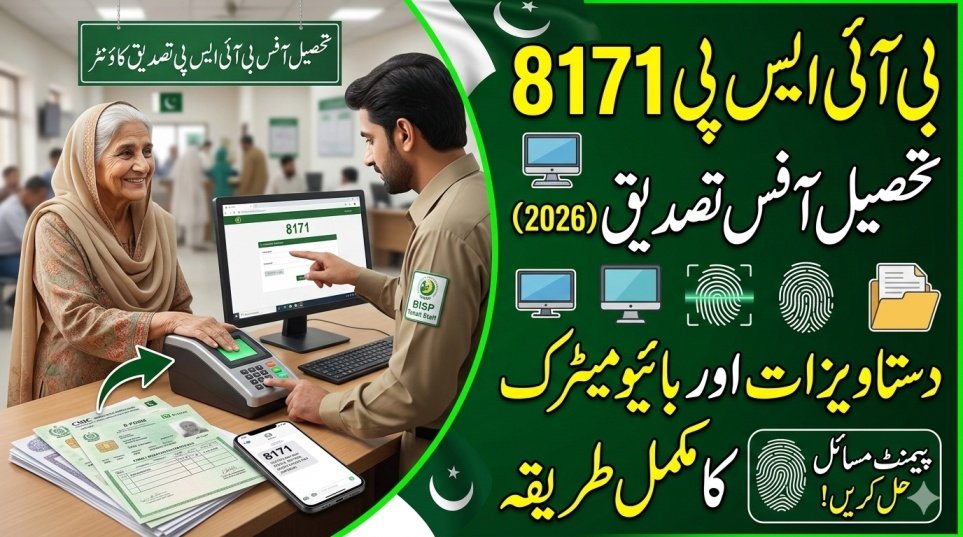
Beneficiaries of the Benazir Income Support Programme (BISP) must keep their records updated to continue receiving financial assistance. If your data shows errors, payment delay, or verification pending status, you may need to visit the nearest BISP Tehsil Office for document verification through the 8171 system.
In 2026, many families are being asked to confirm their information to avoid payment suspension and system errors. This guide explains the complete process in simple steps.

Documents Required for 8171 Verification
Before visiting the Tehsil Office, make sure you carry all necessary documents.
| Required Document | Purpose |
|---|---|
| CNIC | Identity verification |
| B-Form | Children record confirmation |
| Family Registration Certificate | Household verification |
| Registered Mobile SIM | OTP & system verification |
| Utility Bill | Address confirmation |
| Disability / Widow Certificate | If applicable |
Having complete documents saves time and prevents repeated visits.

Who Needs to Visit the Tehsil Office?
You must visit if:
- You received an SMS from 8171 asking for verification
- Your payment status shows “Pending”
- Your CNIC details are not verified
- Your household data changed
- Your eligibility was marked as ineligible
- You updated your CNIC recently
This process also applies to beneficiaries of the Ehsaas Kafalat Program.

Step-by-Step Verification Process at Tehsil Office
Follow these steps when you visit:
- Go to your nearest BISP Tehsil Office
- Take a token from the reception
- Wait for your turn
- Submit your original documents
- Complete biometric verification
- Officer updates your data in the system
- Receive confirmation after successful verification
The process usually takes 20 to 30 minutes depending on crowd and system speed.

Biometric Verification and Data Update
Biometric verification confirms your identity through fingerprint matching.
It helps to:
- Prevent fraud and fake registrations
- Remove duplicate payments
- Confirm rightful beneficiaries
If fingerprint verification fails:
- Clean your hands and try again
- Use another finger
- Ask staff for re-verification
After verification, officials may update:
- Name spelling
- Household members
- Income status
- Mobile number
- Marital status
- Disability information
Make sure your data matches official NADRA records.
| Verification Status | Meaning |
|---|---|
| Verified | Payment continues |
| Pending | Data under review |
| Rejected | Correction required |
| Under Audit | System checking details |
| Biometric Failed | Retry required |
| Payment Blocked | Verification incomplete |
How to Check Status After Verification
After completing the process, you can check your updated status through:
- SMS Method – Type your CNIC and send to 8171
- Online Portal – Visit the official 8171 website and enter CNIC
You will receive updated eligibility or payment information.
Important Rules and Tips
Follow these important tips to avoid problems:
- Visit early to avoid long queues
- Bring original documents and copies
- Use a SIM registered in your name
- Do not trust agents or middlemen
- Verification is completely free
If anyone demands money for verification, report immediately to BISP authorities.
Can Someone Verify on Your Behalf?
No. The beneficiary must appear personally because biometric authentication is mandatory.
Only special cases such as severe disability or serious illness may receive approval for alternative verification through official permission.
What Happens After Successful Verification?
After approval:
- Your status becomes eligible
- Payment cycle resumes
- You receive SMS confirmation
- Future installments are released normally
Payments are usually processed in the next scheduled installment.
Common Problems and Solutions
| Problem | Reason | Solution |
|---|---|---|
| CNIC not found | Old or incorrect data | Visit office for update |
| Biometric failure | Finger mismatch | Retry verification |
| Payment stopped | Verification pending | Complete update process |
| Wrong family data | System error | Request correction |
How Often Is Verification Required?
Verification may be required:
- When CNIC expires
- When household details change
- When system flags irregularities
- During periodic audits
Keeping your information updated prevents repeated office visits.
Conclusion
BISP 8171 document verification at the Tehsil Office ensures that only eligible families continue receiving financial support. By completing biometric verification and updating your data properly, you avoid payment delays and system issues.
Always keep your documents ready, follow official instructions, and check your status regularly through the 8171 system to maintain uninterrupted benefits.
FAQs
Is verification mandatory for everyone?
No, it is required only for beneficiaries who receive verification SMS or have pending records.
Can I receive payment on the same day after verification?
Usually payments are processed in the next installment cycle after approval.
What if my CNIC is expired?
Renew your CNIC first at NADRA, then visit the Tehsil Office.
Is there any fee for verification?
No, BISP verification is completely free of charge.
More Recommended For You
 9999 PM Ramzan Relief Package 2026 CNIC Check Online – Complete Guide
 Petrol Price in Pakistan May Increase by Rs32 per Liter Before 15 March – Latest Update
 Petrol Shortage in Pakistan 2026 Raises Concern Across the Country
 Ramadan Gas Schedule 2026: Suhri and Iftar Timings Announced by Sui Southern
 Gold Price in Pakistan Drops After Global Gold Price Decline – Latest Gold Rate Update
 Today Update: BISP Taleemi Wazaif 50% Payment Increase 2026 – New Stipend Rates & Complete Apply Guide
 Today Update: BISP 8171 Payment 2026 Update – Check Rs. 13,500 Installment Online & via SMS
 Today Update: PM Ramzan Relief Package 2026 – New Registration Open for Non-BISP Families (Get Rs. 13,000 Cash)